
Resource

Changelog

Changelog entries provide granular information about shipped fixes, improvements, and behavior changes.
Chronological release item tracking Category-level changes and compatibility notes Version context for troubleshooting
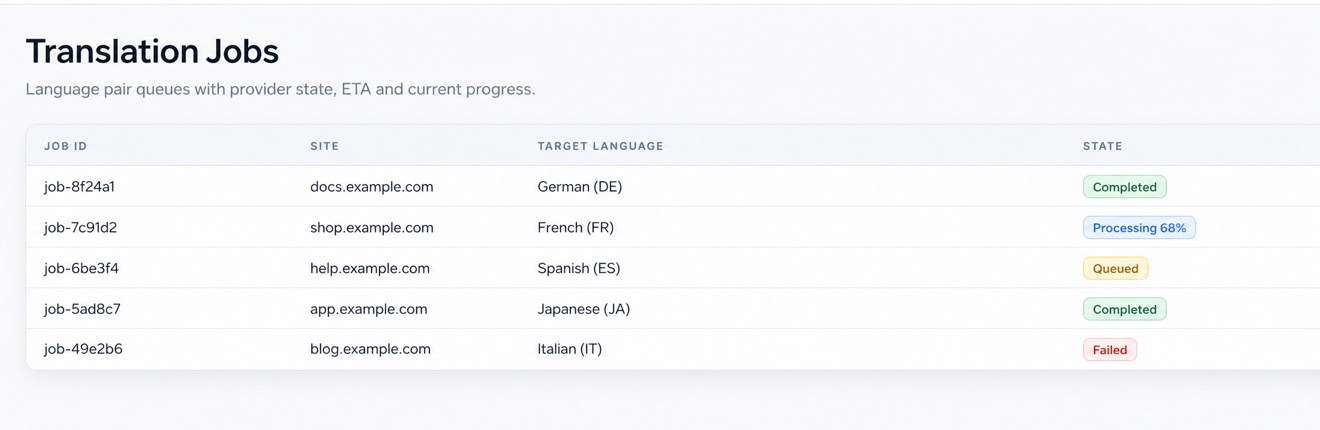
The NewTXT administration panel showing translation job queues, platform status, and release workflow context

Trace behavior changes without losing release context

Use chronological updates, compatibility notes, and affected components to make safer rollout decisions.

01

Chronological release item tracking

Filter entries by component or release date.

02

Category-level changes and compatibility notes

Match changes to affected integrations.

03

Version context for troubleshooting

Plan rollout updates based on release notes.

From release note to rollout decision

Filter the change, match it to your stack, and plan validation before adoption.

Review related capabilities
  1. 1
    Step 1

    Filter entries by component or release date.

  2. 2
    Step 2

    Match changes to affected integrations.

  3. 3
    Step 3

    Plan rollout updates based on release notes.

Release detail for real decisions

Clear change contextUnderstand what changed before planning a response.
Operational impactConnect updates to affected workflows and environments.
Actionable follow-upTurn release or reliability information into a next step.

Need help interpreting a change?

Share the affected component and workflow with support for a focused response.